
Logging in to your Radford Toddle account requires several steps as Toddle uses a single login page for all customers.
You will need to select the correct options to reach Radford’s specific login page.
- Log in to the Toddle app on your Phone
- Log in to the Toddle on a Web Browser
- Links for Radford College Online Services
- Need Help?
Log in to the Toddle app on your Phone
- Select School
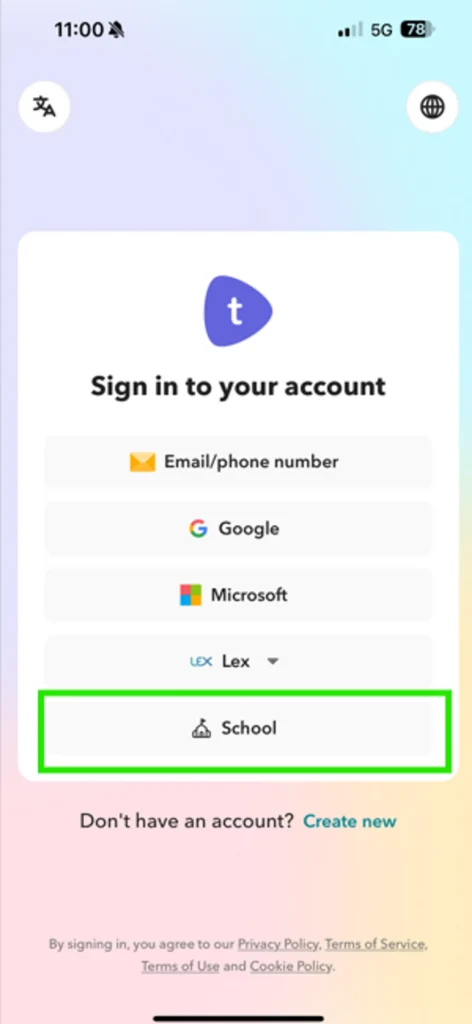
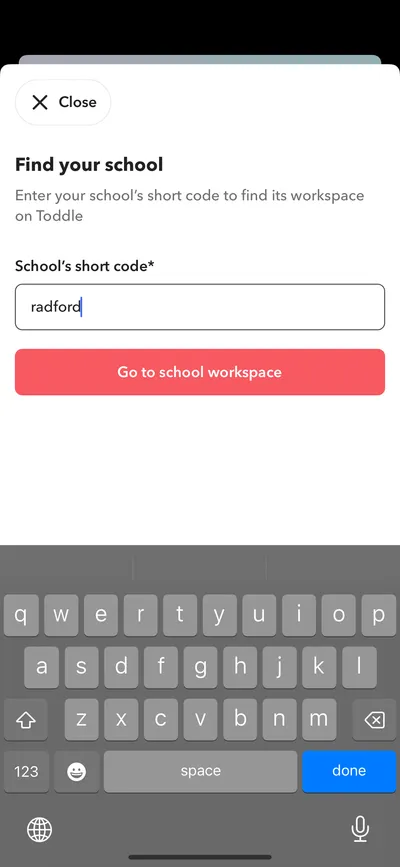
- Type Radford
- Select Go to school workspace
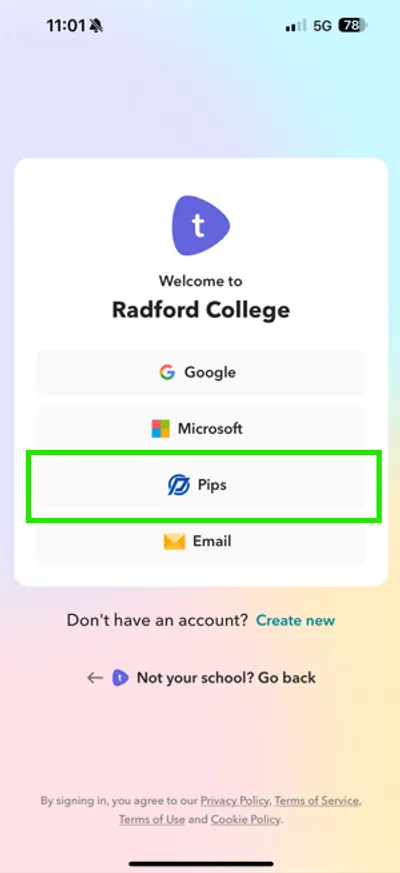
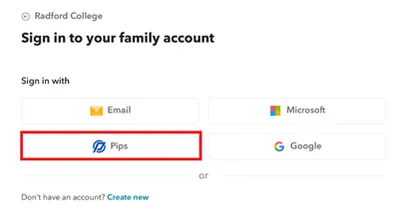
- Select Pips
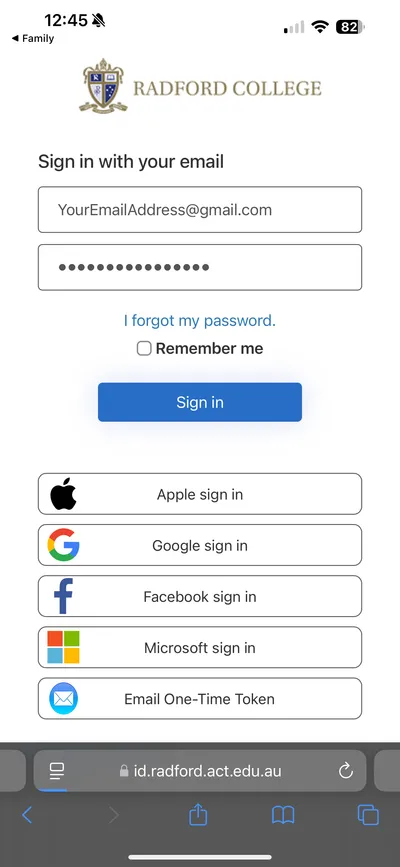
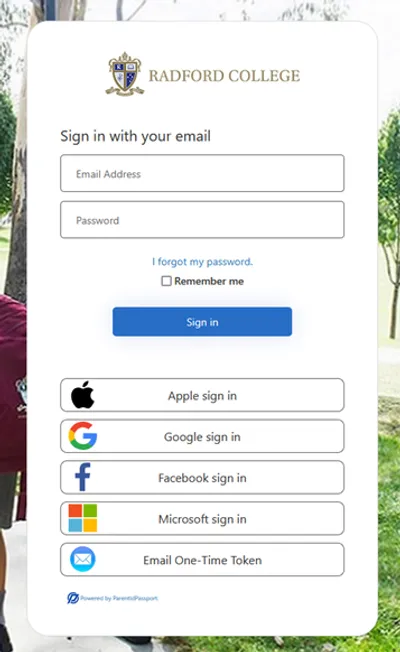
- The default browser on your phone will open to the PIPs authentication page
- Login using your preferred method. See Your Radford Parent Login for your login options
- If login is successful, you will be prompted to open the Family app. (You may also be taken to the App store for your device.)
- Select Open to launch the Toddle Family app
- NOTE: At this step you will see slightly different options on iPhone vs Android. Please make the appropriate selection for your type of phone.

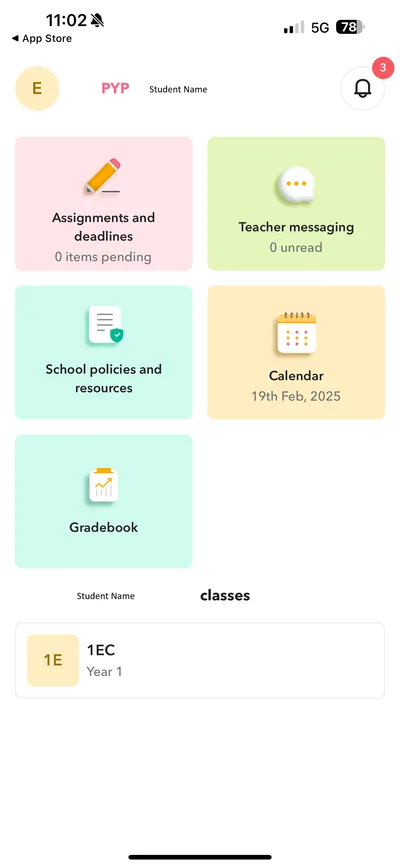
- You will now be successfully logged in to Toddle Family app
Log in to the Toddle on a Web Browser
If you start using THIS LINK (link will open in a new browser tab) you can skip to Step 4
- Select Family Account
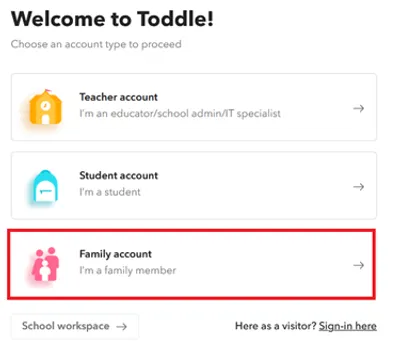
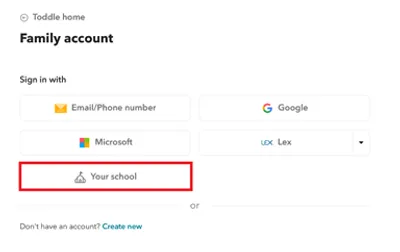
- Select Your School
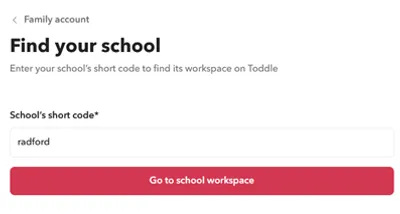
- Type Radford
- Select Go to school workspace
- Select Pips
- Login using your preferred method. See Your Radford Parent Login for your login options
Links for Radford College Online Services
Below are the links to access key Radford College online services:
Need Help?
Our IT Helpdesk is available to provide assistance:
- Email: [email protected]
- Phone: 02 6162 6249
If you require assistance to change your email address or other details, please contact Reception:
- Email: [email protected]
- Phone: 02 6162 6200